Showing posts with label o-gauge zen garden. Show all posts

Tuesday, March 12, 2019

Flattening the O-Gauge Zen Garden, Part 2

It wasn't long after I posted Flattening the O-Gauge Zen Garden that I decided to make an additional change. P.T.F. Designs offered a flat that not only had the dimensions I was looking for but the design as well.

The Incandescent Lamp Electric Company's building had a long loading dock. I thought it would look great set against the straight part of the outer track loop.

Flat means flat!
Of course, this was a flat. So all I had was an image of the dock -- on the same plain as the rest of the structure (see image, right).

Fortunately, building out the dock wasn't a difficult task or even an especially lengthy one.

Gathering the resources

I did two sets of image/mirror image.
The first step was to make scans of the dock area. Using Photoshop, I made sure the images were exactly the right length. I also reversed the image.

The paper printouts needed mounting. I had several scrap pieces of hardware store rulers, which turned out to be the perfect backing material. The rulers were the same height as the dock image.

The dock addition is basically just a small rectangular box. I cut all the pieces to fit, and then glued the paper dock images to them.

The overlap from the sides
cover the wood backing of the front.

Building the base

The joints were constructed carefully. On the sides of the dock, I trimmed the paper so it overhung the wood back by 1/4". This covered the exposed wood of the dock front.

I also glued a small block at each corner. These ensured the joins were truly square. And they provided additional strength to the joint.

The finished box. Note the corner
braces don't exend all the way
up. That space will be needed for
the next step.
 Remember I had reversed images of the dock? Here's why. For the sides, I used the reversed images. There's no visual break between the grass line and brick patterns at the corner. The image seems to just wrap around it.

If the side had been really long, I would have needed a different solution, as the mirroring would have been obvious. But for a 1-1/2" section with limited visibility, I think this works.

It's the same technique I used before in Part One.

Creating the dock floor

There are score lines on
this surface -- really!
For the dock flooring, I used a piece of scrap Foamcore. I could have just covered the dock with paper, but I wanted something more substantial. I wanted the option of placing figures and goods on the dock (some of which could be diecast metal). It had to be sturdy. 

I scored board patterns into the surface. They don't show that well in the photos. But in real life, they provide a realistic texture to the Foamore's surface. 

I also carefully notched the underside of the dock floor. I wanted it to sit flush on the dock. The finished piece fit so snugly I didn't need to glue it at all. 

Before painting the dock floor,
I did a test fit. It fit perfectly
Just one step remained for this phase -- painting the dock floor. This was another instance where I used the reversed images. I had cut out just two relatively short pieces from either end,

I had plenty of the image left to experiment with. The loading dock has grayed wooden bumpers on it.

I mixed white and black paint together to match that shade of gray. The simplest way to test the mix was to dab it onto the scrap image.

When the paint blended seamlessly with the image, I was ready to paint the dock floor.

Paint-matching was easy.
I had plenty of printed
images to test with.
 Once the paint had dried, all that was left was to finish the assembly and attach the built-out dock to the building flat.

I'm happy with the result. The building looks like it belongs in the space  I did need to shift the flat I had previously built. And while that all looked fine, the American Flyer station that occupied that corner looked a little crowded.

That's something I'll need to address.

Another time.

Tuesday, November 06, 2018

Flattening the O-Gauge Zen Garden

Frank Ellison, an influential model railroader of the postwar era, likened his layout to a theater. The trains were the actors, and the scenery was the stage sets they moved through.

Flats are one of the most common theater sets. As the name implies, a flat is simply a flat surface painted to suggest a larger (and deeper) structure.

Looking for a flat (or two)

I decided that flats would make ideal photo backdrops for my O-gauge Zen garden. And when it comes to flats for model railroads, there are many options. Some lines, such as Ameri-Towne, offer walls from their building kits for separate sale. It's also easy to simply purchase a building kit (like an old Plasticville model) and just use one or more walls.

Panoramic photo backdrops are also available. But I just wanted some structures. I chose a couple of flats from P.T.F. Designs. They're high-quality photographs of real structures mounted on foam core.

As you can see, they fit in quite well. And for the most part, it's not apparent that they are completely flat.

Adding some depth

When I placed the two flats on the layout, they didn't look quite right. I built out the larger structure, and that did the trick. 

The larger building now casts a shadow on the smaller. Once they were no longer on the same plane, the flats appeared more realistic.

And building out the second flat was quite simple. I scanned the flat into my computer. I then printed out a copy. I trimmed two strips from the copied image, each one inch wide

Both strips were mounted to 3/4"-wide pieces of foam core. One had a 1/4" paper overhang on the right, the other on the left. Those overhangs were glued to the sides of the original flat. I now had a quite shallow three-sided structure.

I'll be adding more flats to this layout, and varying the depth of each. This proved to be a quick and inexpensive way to add scenery.


Tuesday, September 25, 2018

Marketing the O-Gauge Zen Garden

I'm not sure where the idea came from, but I recently decided to add more detail to the structures on the layout.

While looking for parts, I ran across  Custom Miniatures from Mke Cerdo. Cerdo offered a paper interior detail kit for Plasticville markets. I suddenly knew what my next project would be.

Plasticville made two types of supermarkets -- I owned the smaller one. The example I own was a second-hand model. It didn't have its box, and it was in a very common color scheme.

In other words, I was free to modify the model.

Paper details

The interior kit was printed on heavy paper. And that made modification extremely simple. The panel for the back wall was too long for my store. But I could fold it and make it the wall for the back and side.
I knew that I would be installing interior lights into the structure. The first step was to paint all the interior surfaces of the building with black paint.

Plasticville plastic is thin enough to be translucent with a strong light shining behind it. I wanted to ensure that didn't happen here.

I would be using adhesive-backed LEDs as ceiling lights. In order to hide the wires, I built out the walls. This created a space to hide the wires.

I cut up an old yardstick to use for spacers. I then glued the side walls of the structure to the back. Once that assembly was dry, I glued the spacers to the back wall, then to the side.

My scrap yardstick turned out to be a great source of wood.
After everything was dry, I measured the paper panel and marked where I needed to fold it. I then lightly scored the fold lines with an Xacto blade.

The panel was then folded and glued into place.

Free-standing structures

While that assembly was drying, I worked on some of the smaller pieces. The kit includes an island with shelving. I used more scrap yardstick and built a frame to fold the paper panel around.

I also built some cola cartons, an ice machine, and a magazine stand -- all provided by the kit.

I carefully positioned the fold to fall between
the two wall units.
The kit had a wraparound counter, with a sunglasses display. Well, I wanted detail!

I used another yardstick scrap to make a base for the counter. That elevated the counter, which is something I've seen in many older convenience stores.

Now it was time to glue the front of the store to the finished sides and back. Once that was done, I placed the store on the layout and placed the interior details -- shelving island, magazine rack, cola cartons, and counter. I then added customer and clerk figures.

Adding lights

Quite a while ago I had added a Miller Engineering Bryer's Ice Cream sign to one of the front windows.

Now it was time to add more lights. I went with Woodland Scenics Just Plug Lighting System. Their LED lights are individually adjustable. The interior of the store was no longer hidden behind opaque window shades. The new lights wouldn't need to be very bright to realistically illuminate the interior.

I attached the two lights to the roof. Using electrical tape, I affixed the wire from the store sign and the two lights to the roof's interior. I then threaded the three wired down between the back wall and its paper panel, and through the table. It was then a simple matter to complete the wiring.


I was quite happy with the end result. The store has real character now. Unfortunately, the other structures seem kind of... bland. I have some ideas, though.

Tuesday, August 14, 2018

Shedding the O-Gauge Zen Garden, Part 2

In Shedding the O-Gauge Zen Garden I wrote about upgrading a siding. I replaced the toy-like metal Erector shed with a Lionel barrel shed kit. Part of the process involved adding new lights. I used the Woodland Scenics Just Plug Lighting System.

I wanted an adhesive-backed LED light for the shed's interior and a goose-neck light for the exterior. Both are only sold in pairs with the Just Plug System.

So I went ahead and upgraded the lighting in the companion trackside shed. It now has an interior LED light and an exterior goose-neck light.

One of the advantages of the Just Plug System is that I can adjust the intensity of each light individually. The barrel shed is a much smaller structure than the trackside shed. I dialed back the interior light so it didn't turn the shed into a beacon.

And the exterior light on the trackside structure is much brighter than the one on the barrel shed. Which makes sense -- it has to illuminate a larger area. 

So I was able to do two lighting upgrades with one purchase. And I am more than happy with the results. This won't be the last time I use this lighting system. I already have plans for the next project.


Tuesday, July 24, 2018

Shedding the O-Gauge Zen Garden

My $5.00 purchase.
A while ago I picked up a Lionel Barrel Shed kit. these kits are quite common. Lionel/MPC brought them out in mid-1970s, and over time offered assembled versions. The latter is still available from Lionel as of 2018.

When I purchased my kit at auction (for $5.00), I intended to use it on my O-gauge Zen garden. Building this kit represented something of a turning point in my philosophy about the layout.

The Plasticville structures I had put together could all be disassembled and restored to their original condition. Not so this toy train "collectible."

Once I started applying the paint and glue, there was no turning back. And, really, that was fine. I knew exactly what I wanted to do with this model, and where I wanted it to go.


Even with the additional materials I used, I still came in way under list price.

The metal Erector shed had a very toy-like appearance.
One of the original additions to the layout was a metal shed. It came with many Erector sets of both pre- and post-war eras. I had mounted it to a green-painted board and placed a single light bulb inside.

The footprint of the barrel shed was about the same as that of the Erector shed.

One of the first decisions I made was to not use the barrel shed's included base. I kept the piece in case I changed my mind, but I wanted the shed to sit directly on the layout.

I also opted to replace the molded plastic gooseneck lamp with one that worked. My choice was the Woodland Scenics Just Plug Lighting System. The set came with two scale gooseneck lights. And that was fine. This would not be the last project I would use these lights for.

The barrel shed has a more realistic appearance, especially with the exterior light.
I painted the shed to match the color scheme of the adjacent building. I've seen several structures at a small station all painted alike, and it just looked right (as you can see below).


I didn't have to buy any paint, glue, or filler. I already had plenty left over from other projects. My only additional expense was the lighting system. And half of those lights I used elsewhere.

So overall, I'm quite happy with this latest addition to the Zen garden.

Tuesday, May 02, 2017

Retracting the Rapture in the O-Gauge Zen Garden

Where is everybody?

There's always something that bugged me about larger scale train layouts. And it's something I've been guilty of myself. 1/43 diecast vehicles look great on an O-gauge layout. But they don't come with drivers or passengers. And that's a problem.

Look closely at this traffic jam below on my O-scale Zen garden.

Luke 17:34-37
It looks like the Rapture's just hit, and all of these cars are now suddenly empty (too bad about that sinner walking down the street).

Once I noticed that diecast vehicles out of the box were driverless, I started noticing them on every layout I saw.

Fortunately, it's an easy problem to fix -- sort of.

Drivers wanted!

Seated figures are readily available for modelers. I decided that rather having folks seated at the station, I'd use some as drivers for my seemingly abandoned cars.

I purchased two sets of seated figures. One set was true O-scale, the other slightly smaller, about 1/50. Because I bought them separately, I didn't realize they were two different sizes. But it turned out to be a good thing I had both. As it turned out, some of my scale diecast vehicles weren't so scale after all.

Open up

Virtually all my diecast vehicles, regardless of manufacturer, share the same basic construction. The chassis was secured to the diecast body by one or two screws. In some cases, the seats were molded into the chassis. In others, the cabin with seats and dashboard was a separate piece that usually was just held in place by the chassis' screws. There were a few that used rivets -- those I'll have to relegate to parking lots.

This vehicle only had one securing screw. Most have two.
To open up the vehicle, unscrew the chassis. I recommend using a magnetized screwdriver. Most of the screws were deeply recessed and very difficult to remove.

Make sure you place the screws someplace safe. They can be difficult to replace. Once the screws are removed, it's best to open the car up slowly. Sometimes the chassis is the only thing securing bumpers, lights, and other small pieces to the body.

In the case of the Russian car, the rear bumper had to be removed to get to the seats.


The Procrustean Pontiac

When it comes to the seats, one size does not fit all. In most cases, I had to cut off the legs of the figures to make them sit properly. While the bodies may be scale, the interiors usually scrimp on leg room. And often the steering wheel was almost touching the seat.

Once I prepared the figures, I secured them into place with a mild fixative.

You might be able to notice the shortened legs in this shot. Add
 the tinted windows and limited vantage points of the car body, and you won't.
The fixative is important to two reasons. First, in most cases, I had to turn the car upside down to get all the pieces back into place. Second, although I won't be moving these vehicles around much, they will get relocated from time to time, and be subject the vibrations of passing trains.

I'd prefer not to have my drivers all slumped over. Going from modeling the Rapture to an Andromeda Strain outbreak isn't much of an improvement.

Ready to travel

 I have to say I was pleased with the end results. Even just sitting on the workbench, this car looked way better.

And here's the final result. Having people on board adds to the realism of the scene, I think. 


Of course, I still have a passenger train with brightly lit cars full of empty seats. It's the least successful railroad ever. But that, too, will soon change...

Tuesday, October 27, 2015

An accidental addition to the O-Gauge Zen Garden

This jeep is three inches long. Does that make it closer to
O-scale, or HO-scale? I found out after I received it.
There's a problem with purchasing vintage items through eBay rather than antique shows or flea markets. You can't thoroughly examine the item. And while detailed photos and accurate dimensions in the listings help, surprises can still happen.

Recently I purchased a Japanese tinplate friction toy Jeep for my Straco Express display layout. The length was listed as 3 inches, which is the average length of the vehicles on the layout. The Japanese toy cars from the 1950's and 1960's with that length are approximately HO-scale, which fits with the HO-gauge track on the display.

I had forgotten about proportion, though. Even in real life, Jeeps have much shorter wheel bases than sedans, and the same is true in the toy world. This vehicle was way to large for my HO-scale Straco layout.

But it just happened to be about the right size for my O-gauge layout. And so there it went. The brush fire Jeep is parked beside the Plasticville factory, ready to respond to an industrial fire at a moment's notice.

No, it's not a realistic vehicle, but I think the jeep has a certain toy-like appeal.

And, as it turns out, this is a toy with a secret, which I'll reveal in a future post.

Wednesday, August 19, 2015

Signaling a Change in the O-Gauge Zen Garden 2

Last post I outlined the project; install a Lionel 450 signal bridge and make it operational. It was a little bit of a challenge, because the pressure plate switch that operated the signals wasn't compatible with the brand of track I had on the layout. So instead, I used three-position toggle switches for manual control.

I don't have a separate control panel for the layout. The transformers and switch controls just kind of huddle in a corner of the layout (at least for now). I couldn't mount the toggle switched directly to the table. I would then have to reach over the switch controls to activate them, which would have been awkward.

So I built a switch box that would hold the toggle switches at the same level as the other controls. And I did it with a ruler. Hardware store yardsticks are actually pretty sturdy, and their width was about the height I wanted. I simply built a box with pieces cut from a single yardstick (with plenty left over).

After cutting the pieces, I drilled holes in what would be the top of the box
for the switches. I had a jury-rigged switch for the floodlight on the layout,
so I replaced it with a two-position toggle switch and added it to the box, too.

Ready for final assembly.

And here it is. I removed the switches, then primed and painted the box.

Yep, it all looks a little rough, but with the box in place,
everything will look much better.

And the box is installed. Sure, it looks homemade, but not totally
out of character with the other controls.


Now the installation's complete. The signal bridge adds to the clutter of an urban industrial area that I'm after. And more lights (and colored ones at that) are always a good thing on my O-Gauge Zen Garden -- as you can see below..


Tuesday, August 18, 2015

Signaling a Change in the O-Gauge Zen Garden 1

The Lionel 450 Signal Bridge installed. Now everyone can travel safely,.
As I mentioned in the last post in this series, real estate is at a premium on my little 3" x 5' tabletop. And so the only way to keep adding things is by building up, not out. One of the ways to go up is to put something over the tracks.

I opted for a double signal bridge. This was a fairly common sight on most railroad mainlines. It's basically a frame with a set of lights for each track. Green means the track ahead is clear. Red means its not. A number of companies made such signal bridges over the years, some more toylike in appearance than others.

I chose an early Lionel 450 double signal bridge. It was inexpensive (always a plus), and unlike the later versions -- including the one offered today from Lionel -- it was made mostly of metal with very little plastic. So it looks pretty realistic. And it's sturdy, which is good. Because I know from experience that anything sticking up on the layout (like telephone poles) are going to get dinged from time to time by a hand reaching for something in the middle of the layout.

I couldn't use the 153C pressure plate connector
with the MTH track I had. So it was time for
another solution.
There was a problem with the signal bridge, though. I didn't have the right type of track to connect it properly. As you can see from the wiring diagrams, the signal lights were activated by a pressure plate that attached to the tubular track. I was using a different type of track, and the pressure plate wouldn't fit.

Plus, on my little layout, it takes about 5-7 seconds for a train to complete the loop. So those bulbs would be blinking like a strobe light. So I decided instead to wire the lights to a pair of toggle switches so I could set them manually -- and have them stay in that position.

Working out the wiring for the bridge wasn't difficult. One lead ran to each light, and the other to power. In the original configuration, the pressure switch would change orientation each time a train passed over completing the circuit between one of those lights and the power. The next go around the switch to connect the other light instead.

I opted for a three-position toggle switch, which allowed me to turn the lights off. Just one problem, though. How to install toggle switches on the layout where -- as mentioned before -- space was at a premium? As you'll see in part 2, I uses some materials already at hand.

Friday, June 19, 2015

Micro-improvements to the O-Gauge Zen Garden

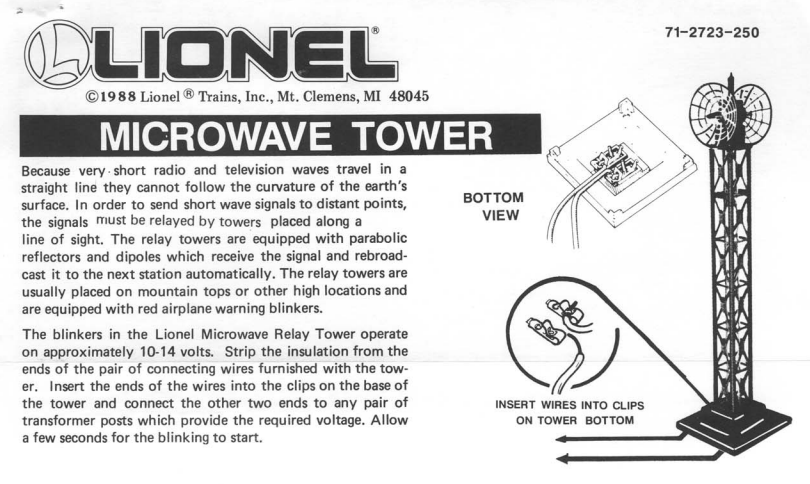
The  Lionel microwave tower
was ideal for the small space
I had for it.
One of the challenges with my O-gauge Zen garden is its size. Most basic O-gauge layouts are at least 4' x 8' -- the standard size of a wood panel.

I'm not sure why my childhood layout was built on a 3' x 5' piece. Perhaps it was left over from some other home improvement job? But whatever the reason, it left very little space for track, and especially for scenery.

I'm not complaining. The bigger the layout, the bigger the time and money commitment. Having something very small suits my needs just fine. And I actually like the closeness of the layout. Like real-world industrial rail yards, real estate is at a premium and buildings are as close together as they can be. 

I'm always looking for ways to add to the layout, though. And right now, the only way to go is up. And so I started looking for tall, skinny things to add.

Now there are already a water tower and an aircraft beacon on the layout, so whatever I found had to complement rather than compete with those structures. At a recent train show, I found the ideal addition -- a microwave tower.

Lionel/MPC created the microwave tower in the 1970's. Not only is it tall with a small footprint, but it lights up as well. I placed it in a roughly diagonal line with the water tower and the beacon. The microwave tower is the shorter of the three, so visually there's a nice progression in height as one looks across the layout.

And because this is a relay tower, I was careful to orient it in a way that kept the parabolic reflectors parallel to the mountain. In the real world, having such a relay tower facing a mountain wouldn't make any sense (unless there was another tower at the base of it -- which isn't the case here).. 

It's a minor detail, but one that was important to me.


Tuesday, January 13, 2015

The O-Gauge Zen Garden Gets Greener

It's been a while since I've done anything major to my O-gauge Zen garden. And that's OK. The layout's operational, and there's no timeline for any project. But I finally decided to do something about that bare mountain top. Painting the plaster surface with green, brown, and gray to represent grass, dirt, and rock respectively was fine -- for a while. (click on images to enlarge)

It's plain to see this is too plain.

So I did a simple two-stage improvement. There's more I could do, but this works for now.

The greening of the green

The first thing I did was improve the grassy knolls by laying down a more realistic -- and textured layer of grass. I invested in a bag of Woodland Scenics ground cover, and a bottle of spray glue.

I started by covering the brown and gray areas of the mountain, leaving the green sections exposed. I then sprayed a layer of glue onto the green surface.

I then sprinkled the grass onto the sticky surface. Some of it clumped a little, but that was OK. After I had thoroughly covered all the exposed surfaces, I went back over it with the spray glue, adding a second layer of adhesive. The glue dried clear, leaving no apparent trace. 

But that second coat ensured that most of the grass particles remained in place. Now the stage was set for the second phase.


The Forestation Drill

I purchased two different sets of trees from the Old Neighborhood Market. Since my goal isn't to create a super-realistic layout, I had the option of buying quantity, rather than quality. Not that the trees I purchased are bad, but they don't have the same level of detail as those used by more serious modelers. 

To "plant" a tree, I used a drill bit that was slightly smaller than the tree trunk and drilled into the plaster surface. 


 I then put a dab of white glue into the hole and then inserted the tree. The screen mesh under the plaster provided a base for the tree, while the white glue held the tree in the true vertical position I placed it in (after it dried, of course). 

Below are the results. By placing the trees in the green patches, I think I achieved some of the randomness one finds in nature. After all, most trees don't grow out of rocks. And while I could have put some in the dirt areas, I think having them exposed suggests erosion.

So what's next? I'd like to add some dirt to the brown patches, to give them more texture. And I'd like to do something to the rock faces to make them look less representational. But not yet. I'll need to think about that for a while.